A professional Gmail signature, inserted automatically
Design it once. SigPilot adds it to every new email, reply and forward, above the quoted text, never twice. No account, nothing leaves your browser.
Free for 1 signature. No account needed.
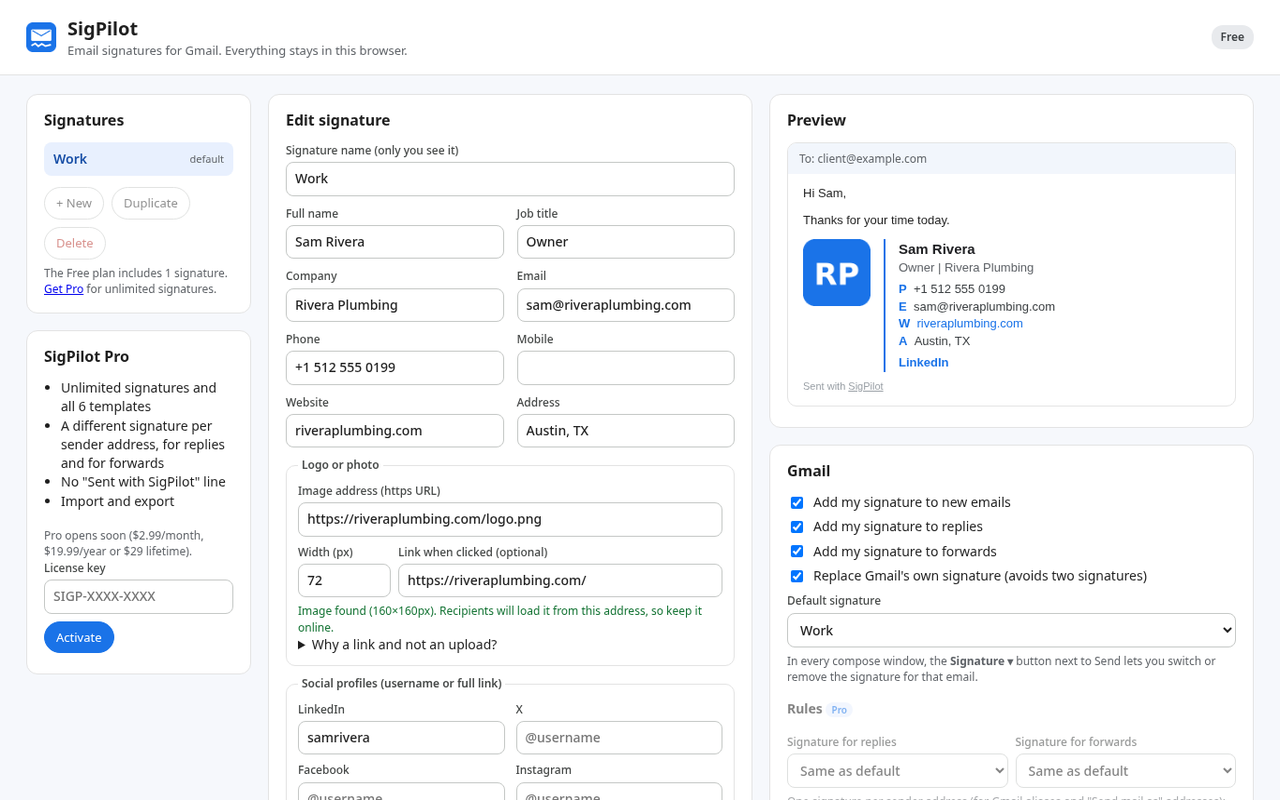
Design it once. SigPilot adds it to every new email, reply and forward, above the quoted text, never twice. No account, nothing leaves your browser.
Free for 1 signature. No account needed.
SigPilot runs only in Gmail. Your signature details stay in this browser.
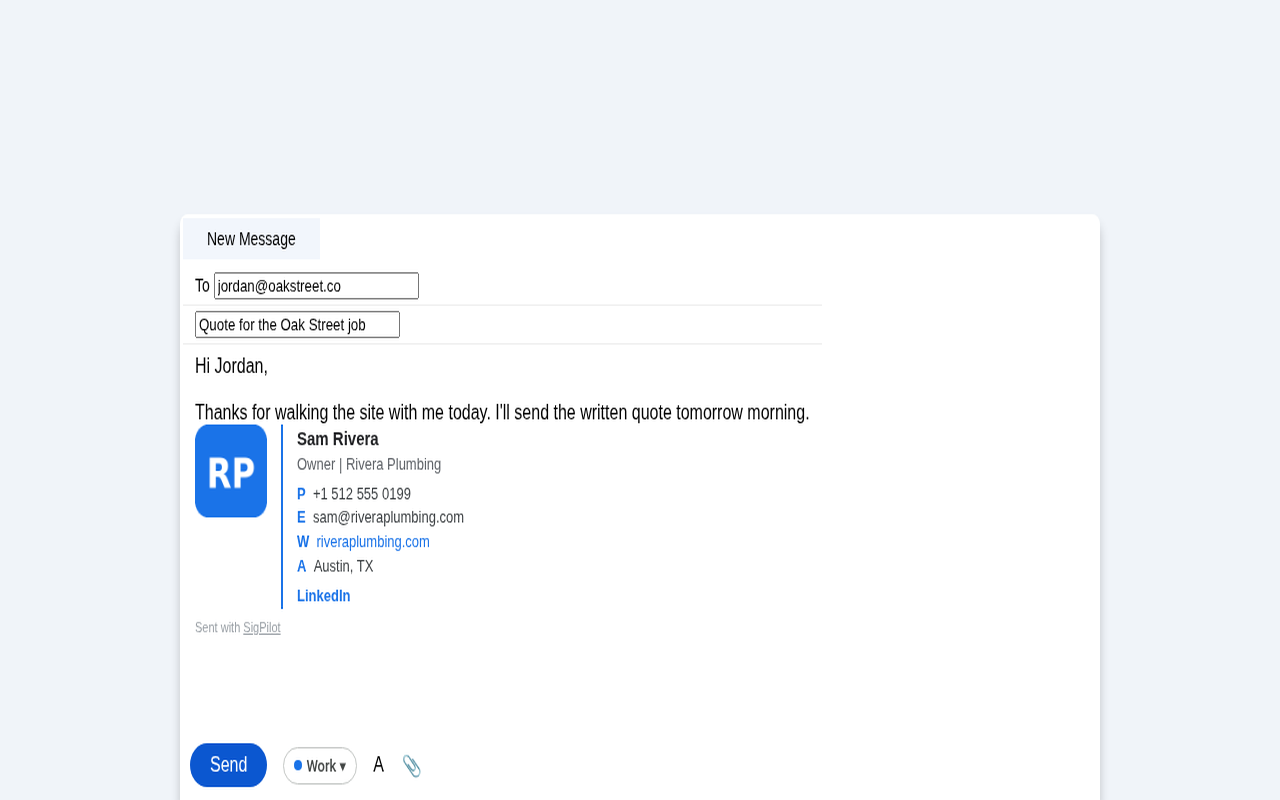
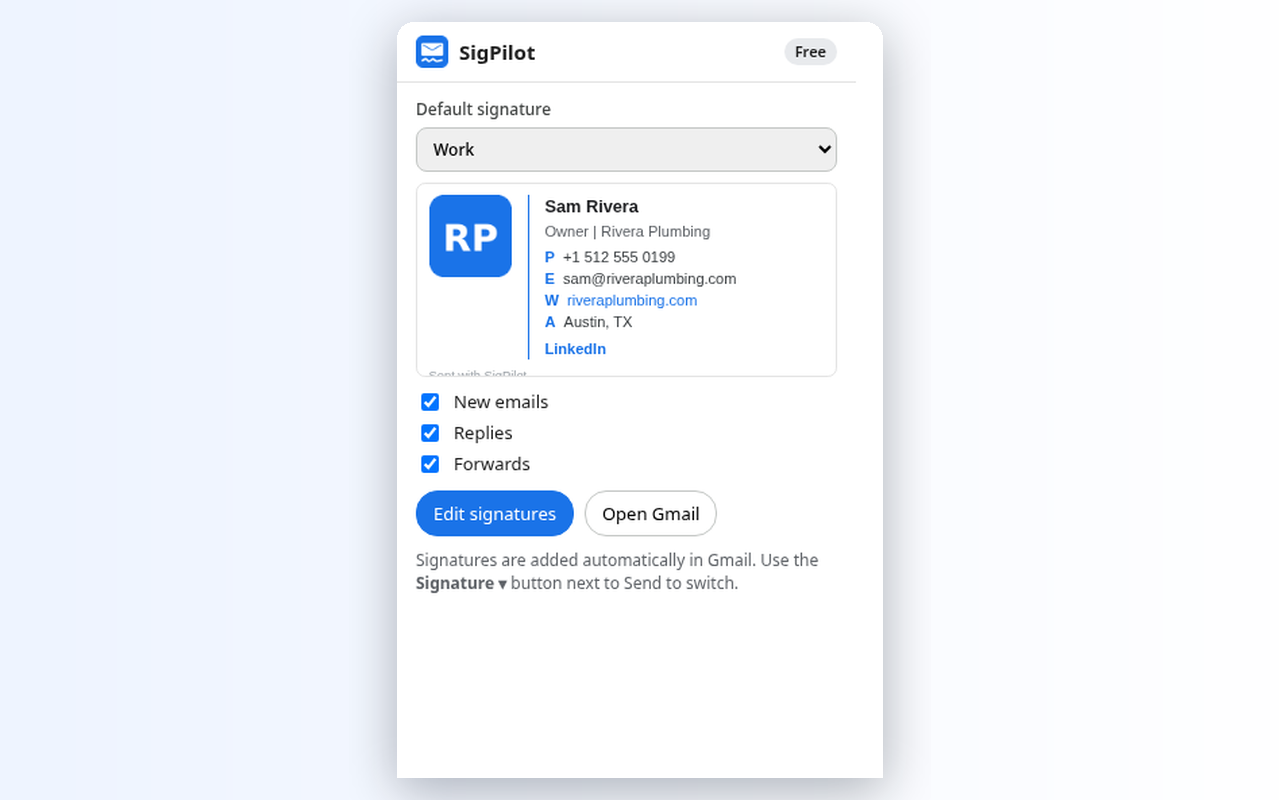
New emails, replies and forwards. The signature sits above the quoted or forwarded text, and never appears twice.
A Signature button next to Send lets you change or remove the signature for that email only.
Name, title, company, phone, website, social profiles, color, font, six layouts and a logo from your website.
Link the logo already on your website. Recipients see it, because it is a normal image address, not a pasted file.
Turn the option on and SigPilot removes Gmail's own signature, so you never end up with two.
No account, no tracking, no servers of ours. SigPilot never reads, stores or sends the content of your emails.
Pro lets you keep several signatures, pick a different one for replies or forwards, and assign one to each Gmail alias or "Send mail as" address. Import and export keep a backup.
Start free. Upgrade when you need more than one signature.
| Free | Pro | |
|---|---|---|
| Signatures | 1 | Unlimited |
| Templates | Classic | All 6 |
| Automatic insertion (new, reply, forward) | Yes | Yes |
| Signature button in the compose window | Yes | Yes |
| Different signature per sender address | — | Yes |
| Separate signatures for replies and forwards | — | Yes |
| No "Sent with SigPilot" line | — | Yes |
| Import and export | — | Yes |
Secure checkout by Polar, our merchant of record (taxes included where applicable). You get a license key starting with SIGP- in your Polar confirmation and customer portal: paste it in the SigPilot editor under "SigPilot Pro". Checkout links will appear here as soon as the products are created.
SigPilot has no servers of its own and no analytics.
Yes. Turn on "Replace Gmail's own signature" in the editor and SigPilot removes it when it inserts yours, so you don't get two signatures. You can also leave Gmail's signature empty.
Most email apps block images that are pasted inside the email as data. A picture that already lives at a public web address (for example the logo on your website: right-click the image, then Copy image address) shows up for your recipients. SigPilot does not host or track the image. Leave the field empty for a text-only signature.
No. It only looks at whether the compose window is empty, whether it contains quoted or forwarded text, and which sender address is selected, so it can place the right signature. It never reads, stores or sends the content of your emails.
After checkout, your license key (starting with SIGP-) is in your Polar confirmation email and customer portal. Open the SigPilot editor, paste the key under "SigPilot Pro" and click Activate.
Yes, on up to 3 browsers. To move it, click "Remove from this browser" in the Pro section, then activate it elsewhere.
Use the customer portal link in your Polar receipt email to cancel, update your card or download invoices. Pro stays active until the end of the paid period.
SigPilot is a Chrome extension for Gmail in the desktop browser. It does not run in the Gmail app, in Gmail's mobile site, or in Outlook.
Email contact@sorabs.com with what you expected. Billing questions and refunds are handled through Polar.